Showing posts with label photos. Show all posts

Wednesday, September 26, 2007

Show and sell

25 Sep 2007, ST Digital Life

Make your shots earn money for you as online stock photos. MIKE LEE has the 101 guide

1. Research online stock photo agencies

Word-of-mouth is still ever reliable; most enthusiasts would probably have heard of Shutterstock (www.shutterstock.com) or iStockPhoto (www.istockphoto.com). For readers new to contributing to online stock photo agencies, these two agencies will be a starting point for research.

You can obtain lists of stock photo agencies from websites of associations such as the Picture Agency Council of America (www.stockindustry.org).

Also search for and read discussions about online stock photo agencies on various photography forums; dpreview.com and clubsnap.org are some good places to suss out.

Consider what people are saying about an agency's reputation - particularly how they honour payments to foreign contributors. This is important as you do not want your efforts to go unpaid.

Also read the contributor's sections to get an idea of payment schemes (like how payments are made and image sales royalty percentages), as well as contractual terms and legalese (do they require exclusive distribution rights, indemnification and so on).

Some agencies may also have specific technical requirements. For instance, some may require pictures to be made from cameras with 16-megapixel resolution and above.

Once you are comfortable with a few agencies, surf around their websites, and browse their picture collections to get an idea of the imagery accepted.

Large agencies like Shutterstock has a library of more than 2 million images ranging from happy teens at the beach to a man in a suit pouring coffee down his throat.

On the other hand, small boutique outfits may suit the specialist photographer better, as they target a niche or genre, such as food, animals or transport, which you may specialise in.

2. Register as contributor

Just fill up an online form - provide preliminary details such as your name and e-mail address, plus contacts such as your snail mail and phone number. No worries: this is to facilitate payment after image sales.

The contributor's registration sections are usually placed somewhat discreetly. This is because most sites are designed to cater to the photo buyers first. Look for links labelled 'For Photographers', 'Sell Photos' and the like.

On shutterstock.com, for example, the link 'Photographers - We sell your stock images' is found at the bottom of the homepage.

3. Gather stock photos from archive for first submission

Registration completed, you need to submit your first batch of images. The agency will review your first submission - 10 for the initial lot for Shutterstock.com - to ascertain if your images meet their guidelines, before allowing you full contribution rights.

Choose photos that best fit the agency's content requirements. Edit your images as necessary. For instance, photoshop out the dust and scratches.

4. Upload stock photos

You check back periodically at the contributor's section to see if your first submission passed review, and finally... congrats! Upload more images to grow your stock collection. This is pretty straightforward, though have some patience if your images are large. (Take a coffee break!)

5. Keyword the images

You must keyword your stock photos. This is because buyers use keyword searches to seek photos and good keywording increases the chances of buyers finding your photos.

Check out how the established contributors do it. For example, the top-selling photo on shutterstock.com is of a couple having fun. Other than 'couple' and 'fun' as keywords, the other words tagged are - 'affectionate', 'laughing', 'unity', 'vacation', 'vitality' and so on.

Some buyers look for photos to illustrate abstract concepts. So, keywords should not just describe the obvious content of the photo.

6. Market your stock

You can also publicise links to your stock gallery to increase visitorship. For a start, simply copy and paste the web address of your stock gallery onto your homepage, blog or e-mail signature, for instance.

As you get the hang of things, continue to add new images, market your collection, and tweak keywords to increase the visibility of your stock images!

-----------------------------------

Take stock of these terms

Micro-stock and rights-managed stock are the two main stock distribution methods used. In brief, micro-stock is economical. At Shutterstock, photographers earn US$0.25 (S$0.38) per image download and buyers can download 750 images a month for US$199. So, you will have to make up for earnings in volume or bulk sales.

Rights-managed stock pay more - ranging from tens to tens of thousands dollars, if your image is picked for an advertising campaign, for instance. Rights-managed stock sell less frequently, one obvious reason being they are more costly.

Imagery with fresh perspectives are more valuable. Remember that the buyer has probably had to sift through 1,001 similar photos of the Eiffel Tower already before getting to yours. So, if you were to submit a shot of that tourist attraction, be sure it is not the been-there-done-that type of exposure.

Agencies periodically release a 'wants list', which gives contributors an idea of what is in demand. Also anticipate seasonal demand, for instance, Christmas imagery in the months running up to the holiday.

Search the agencies' help section or Google for information about model releases. You will need one signed by the subject(s) in a people stock photo intended for commercial usage (for example, advertisements and brochures for businesses versus editorial usage).



Monday, August 20, 2007

Face it, Facebook is hot

19 Aug 2007, ST

Roll over, Friendster. Social networking site Facebook is now the in way to connect

By Hong Xinyi

THEATRE director Alvin Tan has swopped one addiction for another.

The artistic director of The Necessary Stage (TNS) recently kicked his smoking habit. Nowadays, instead of taking a cigarette break, he checks his Facebook page instead.

'I like to try these things,' says Tan, 44, a former user of social networking sites Friendster, Multiply and MySpace. These accounts, already scarred by onslaughts of spam, now lie abandoned as he embraces his latest obssession, Facebook.

He signed up a month ago and checks his Facebook page every day, often putting up information about TNS projects.

'I'm kind of addicted,' he says, half-sheepishly and half-jokingly. He's even in a Facebook group for fellow addicts called I Am A Facebook Whore.

Why the Facebook fervour? The clean design and user-friendly applications are very inviting, he says. He also uses FaceBook for research by checking out e-groups like Singaporeans Are Just Way Cooler.

'It's a fast way of knowing what people are talking about. You can spar with different ideas, it's quite a stimulating environment. In many ways, it's a weird cyber-community whose bonds are stronger than superglue even though you may not necessarily see these people you interact with.'

Indeed, the easy-to-use range of third-party applications and variety of groups on FaceBook not only mimics the minutiae of real life but in many ways also creates a virtual universe that allows for fun and convenient ways of interaction.

Besides keeping in touch with friends through conventional messages, there is a whole range of more informal behaviour at your disposal, like saying hello by giving someone a naughty (virtual) poke or sending a stressed friend a cold beer (icon).

Naomi Minejima, 31, a casting director, joined FaceBook at the urging of her husband. 'In one day, I was hooked,' she says. Favourite functions include 'fluffy things' like sending high-fives and flying kicks to friends.

Sheryl Lee, 18, a law student at Singapore Management University, checks in at her FaceBook account every day, and likes applications like Fortune Cookie (get a new fortune whenever you want), sending her friends Mardi Gras beads and starting a virtual food fight.

In her view, Facebook is the best social networking site of the moment because it's more sophisticated than Friendster and less of a poseur than MySpace.

'Friendster seems over-used, I'm bored of it. And I feel a sort of revulsion towards MySpace, it has too many notorious profiles of instant celebreties like Paris Hilton.'

A tool to stay in touch

FACEBOOK'S image of understated cool has been carefully nurtured. Launched in 2004 by Harvard student Mark Zuckerberg, it originated as a networking tool for Harvard students. Last year, access was expanded to all members of the public.

In a Newsweek article, technology journalist Steven Levy noted that 'unlike services like the giant MySpace... Facebook is not a place where emerging stand-up comics, hip indie bands and soft-porn starlets try to break out by tagging thousands of people as virtual friends... The Facebook experience is built around people you know.'

Singaporean Kelly Lai, 20, is currently a student at Britain's Cambridge University. 'Everyone I know gets a Facebook account when they start university. It's a way to keep in touch with people who may be in different countries.

'It's also a good way of staying in contact with new people you meet and don't want to exchange phone numbers with yet. I've got to know people better through Facebook.'

Ms Aparna Aiyar, 20, a Singaporean student at the University of Chicago, made use of FaceBook to get to know people at her current school before she set off for the United States. 'I use it a lot now to see what my friends are doing during their summer vacation.'

The company's website states that there are more than 31 million active users and a July Time magazine article reports that 'with more than 150,000 new users signing up daily, it is growing three times as fast as rival MySpace'.

The majority of users are in the US, with Canada and Britain ranking second and third respectively. In the US, a large proportion of its users are college students in their late teens and early 20s. There are 23,365 Facebook users registered in Singapore.

For nightlife entrepreneur Michel Lu, 36, Facebook is a way to connect with friends, indulge in his interests and publicise his clubs Hacienda and SuperFamous and an upcoming restaurant.

'Friendster is a mess nowadays and MySpace looks very cluttered,' says Mr Lu, who has been a Facebook user for five months and checks his account every day.

He is the proud member of the Cupcake Appreciation group, as well as several local music groups.

'It's pretty amazing. I just added a girl I met in London 10 years ago and haven't seen since. It's wonderful to be able to stay connected to old friends.'

---------------------------------

Which site is the coolest?

HERE'S how the top three social networking sites stack up against one another.

Friendster

Founded in 2002 by American computer programmer Jonathan Abrams, then 32. It accumulated three million users within months of its launch, but teething problems and corporate reshuffles have since weakened its early lead.

It is still widely used today, with a reported 47 million accounts. The key difference is that it's no longer the only game in town and far from the coolest.

MySpace

Founded in 2003 by American Internet company eUniverse (changed to Intermix in 2004), MySpace quickly overtook Friendster as the most popular social networking site.

Rupert Murdoch's News Corporation bought the site in 2005 for US$580 million.

Today, it reportedly boasts more than 100 million accounts. Bands like the Arctic Monkeys have reaped the rewards of the publicity they got through MySpace pages.

Facebook

Founded in 2004 by Harvard student Mark Zuckerberg, now 23.

With more than 31 million active users, Facebook differentiates itself with features like an eBay-like marketplace and a wide variety of third-party applications.

It is also the site that is most popular with American college students. In a 2006 study, Facebook was named the second most popular thing among undergraduates after the iPod, sharing equal importance with beer and sex.


Sunday, August 5, 2007

Yahoo to close its free photo-sharing site

By Katherine Boehret

The Wall Street Journal

02 Aug, 2007

Yahoo's recent announcement that it would be closing its Yahoo Photos division on Sept. 20 forced its users to decide what to do with their photos.

The site's photo-storage and sharing service, which has been around for about seven years, is bowing to its hipper counterpart, Flickr.com, also owned by Yahoo Inc.

When faced with the daunting task of transferring entire collections of uploaded photos to a new Web site, or just choosing a site on which to start sharing digital photos, consumers are worried about choosing the wrong one.

This week, I compared data about five popular photo-sharing sites: Kodak Gallery, Shutterfly, Snapfish, Flickr and Photobucket. Many other sites offer to do the job, such as SmugMug and Webshots, but I stuck to the five major sites suggested by Yahoo as alternatives to its photo service.

I had accounts on all but one of these free sites, and easily signed up for the fifth. In addition to using the sites, I quizzed each company on its offerings, asking about privacy, community sharing, editing, storage restrictions, what happens to dormant accounts, creating photo projects like books and uploading images via email or cellphone.

The features offered by each company are overwhelming - and easy to confuse. Two of the five sites, Kodak Gallery and Snapfish, require a purchase at least once a year or your photos will be deleted (after warning emails). Each site offers free accounts and all except Shutterfly will upgrade your account for $25 a year. Photobucket and Flickr excel in creating communities for continuous sharing, while Kodak Gallery, Snapfish and Shutterfly focus on acting as repositories for uploaded images, one event at a time. The sharing sites have storage limitations, while the others don't.

Below, I've outlined some pros and cons for each service, while remarking briefly on a site's overall feel and usability. See the accompanying chart for more details.

Kodak Gallery
(www.kodakgallery.com)

This is a solid site for sharing albums with friends in a few straightforward steps. Though its options for editing photos tend to feel a bit clumsy, they're probably the best out of the five sites. Most sites expect users to edit images before sharing them. Earlier this year, Kodak introduced a new version of its EasyShare desktop software program with richer editing features, such as images that expand to almost the entire screen.

In addition to its $25 a year Gallery Premier account, you can opt to pay twice as much for the account and a discount on Kodak prints - 10 cents each rather than 15 cents. Paid accounts let you download high-resolution versions of each photo and give you a unique Web address for sharing photos that can be password protected. But the other four sites offer personal Web sites as free features, rather than just with paid accounts.

Shutterfly
(www.shutterfly.com)

Shutterfly seemed to be the simplest site, though it isn't the most attractive or user friendly. All of its features are free. Shutterfly does away with two conditions that Kodak Gallery and Snapfish have: It doesn't require any purchases in order to keep your account from being deleted nor does it ever require your friends to sign in before viewing a shared album.

But Shutterfly's simplicity can also be a hindrance. It doesn't let you upload videos to share, nor can you download high-resolution versions of each photo or send photos to the site via email or mobile device; the other sites do these things either for free or with a paid account.

Snapfish
(www.snapfish.com)

Snapfish is Hewlett-Packard Co.'s photo-sharing site, and it stands out because it has the most restrictions. Along with its requirement that you purchase something at least once a year to keep your account, guests who view your albums must always sign in; you can't change this setting like on the other sites. To skirt this issue, Snapfish emphasizes its Group Rooms, or personalized sharing Web sites that users view with a specific URL and a password (if you choose to have one).

Snapfish and Shutterfly both have Web sites on which photos appear too small for my taste, though Snapfish does offer generously sized images in photo slideshows - a plus. I'd prefer the site itself showed larger images in other instances. High-resolution version of photos can be downloaded for a fee of 25 cents for one and five cents for more than one.

Flickr
(www.flickr.com)

Photobucket.com
(www.photobucket.com)

Of the two community sharing sites, I preferred Flickr over Photobucket. The site felt cleaner, with fewer distractions and one less advertisement than Photobucket. For people who aren't used to these more progressive sites, Photobucket and Flickr may seem extreme. They offer things like tagging and use terms that can be confusing. Flickr uses "sets" in place of "albums," and photos are organized within "batches." Photobucket organizes albums, but then lets you create sub albums within an album.

Neither site requires annual purchases, and both allow free high-resolution downloads of photos. Instead of one-time sharing, the sites use photostreams, or constantly updated photo blogs that friends can check.

Flickr and Photobucket make it easy to post photos to blogs in one step, including Blogger and Typepad. Photobucket also lets you post to MySpace and Facebook in one step.

In Flickr, you can meet people who have interests similar to yours by searching through Groups. I joined a group that shared photos of tennis courts around the world. Digital photos suddenly offered ways to socialize online without chatting or leaving overused messages for strangers.

Among other things, Photobucket lets you create a Remix - a presentation made of your photos and/or videos after they're dragged into a storyline and mixed in with music, transitions and graphics. The result was entertaining and professional, though it took just seconds to make.

Ideally, I'd like to combine a favorite feature from each of these sites to make one great photo-sharing Web site. I found something wrong with each one, but Kodak Gallery and its EasyShare software program offer a good combination of editing and sharing. Flickr was my preferred community photo site, though it and Photobucket both offer fresh ways to share digital photos.


Tuesday, July 31, 2007

Snapfish aims to reel in online photo shop rivals here

31 Jul 2007, ST

Global leader offers 19-cent 4R prints, unlimited uploads and storage as bait

By Oo Gin Lee

SNAPFISH, the world's No. 1 online photo service by number of customers, is now in Singapore waters.

Its home is www.snap fish.com.sg, where customers can upload, store and display an unlimited number of digital pictures and order prints.

Snapfish's lure? The 4R prints come at 19 cents each.

Photo prints in 4R size cost between 20 and 50 cents each at retail and online photo print shops - and print quality can vary.

Mr Bala Parthasarathy, Snapfish's founder and now vice-president of online imaging at Hewlett-Packard (HP) Asia-Pacific, said: 'We are focused on delivering what consumers want and at 19 cents, we are lower than any retail or online provider in Singapore. The prints are of high quality.'

Spawned in the United States in 2000, Snapfish was acquired by HP in 2005.

It has more than 40 million customers in 15 countries. They can upload their photographs at any time by connecting their cameras to a computer or using Bluetooth from their camera phones.

The website imposes only one condition on its customers who want to keep their prints online - that they order at least one photo every year.

Prints are mailed direct to them.

Online photo services have been in Singapore since 2000 but snapfish.com.sg is the first service that offers unlimited uploads and storage.

To reel in users, it offers 20 free 4R prints for first-time customers, but will bill them for the $1.90 mailing cost.

FotoHub, a similar online photo service, also lets its users upload their digital photos 24/7, but only up to 200MB worth of data. It is revamping its website and will up the limit to 1GB later this year.

Customers who order prints get a choice of having the photos mailed to them or to a retail service provider, where they can be picked up.

FotoHub, at www.foto hub.com, charges 45 cents for each 4R print, but gives discounts of 30 per cent for orders placed between midnight and 6am.

The chief executive of its consumer division, Mr Eric Tan, welcomed Snapfish's entry into the market.

'This is a good thing. Snapfish's entry will help raise greater awareness about online photo printing for the industry as a whole.'

Snapfish's launch here is part of its push into the Asia-Pacific region. It was launched in Australia last December, and India is next.

Regular online photo user and freelance writer Yong Ai Lei, 37, said: 'Snapfish's unlimited storage is very attractive as it will let me easily share my photos with friends overseas. But the most important thing for me is that the print quality must be good.'


Wednesday, July 4, 2007

Empty Nest, the birds have flown!

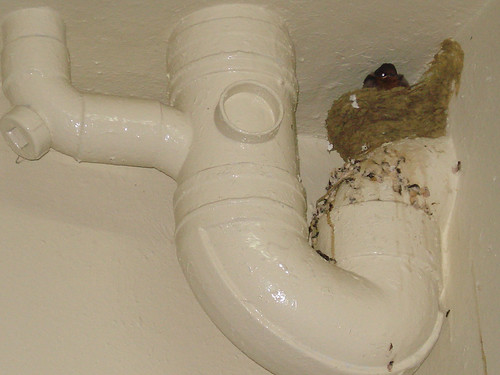
What a difference a day makes! Today the nest is empty. There is no sight of the other 2 baby birds. I wondered if they had survived and are nesting somewhere? Or they had been killed somewhere in their first few days of flight?

bird17_0407

bird14_0407

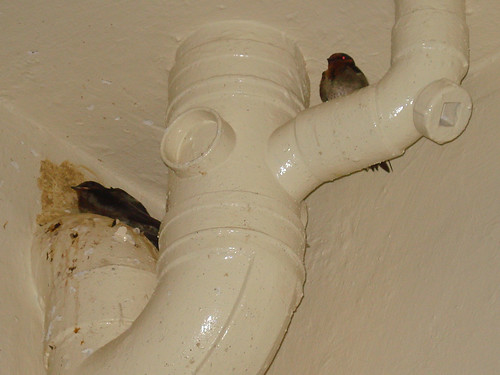
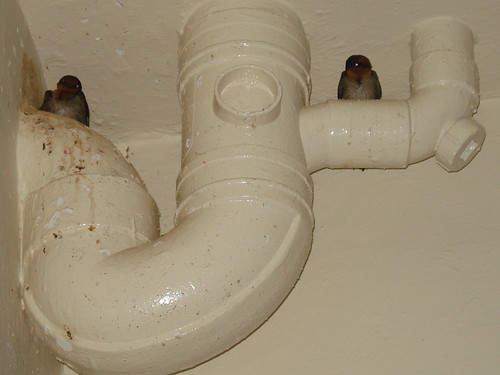
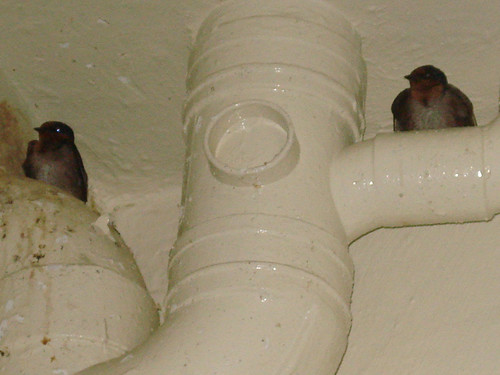
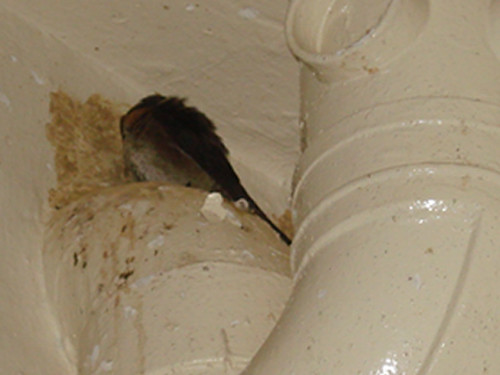
Across the other pipe, I spotted 3 birds. The one on the right is the papa bird and the two birds cuddled together should be the mother bird and one of her baby bird.
bird18_0407

Tuesday, July 3, 2007

One Baby Bird

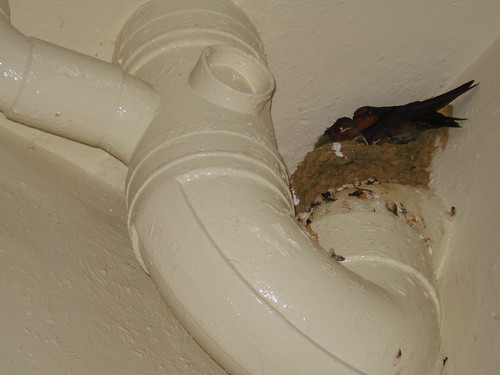
When i went back today, i saw both the parents birds back on the own pipes, while their baby bird was alone in their nest.

bird13_0307

bird7_0307

There was only one baby bird in the nest. Wonder what happen to the other two baby birds? Had they grown wings and flew away?
bird8_0307

bird9_0307

Yeah...that's the bird shit all over the floor, below the nest.
bird11_0307

Sunday, July 1, 2007

Gin asleep

One thing I noticed is that Gin only slept on the sofa when i am there watching TV or reading newspaper.

So here's Gin in her favorite spot on the sofa, among the cushions.
gin04_28jun07


Gin asleep. But normally she dun sleep that long. Any slight movement and she will wake up.
gin05_28jun07

Friday, June 29, 2007

Family of birds

Most days I would bring my dog out for a walk. During one of the walk some months back, I came across these two small birds. Sparrows?

Anyway, they used to perch high up on the pipes during the night to sleep.

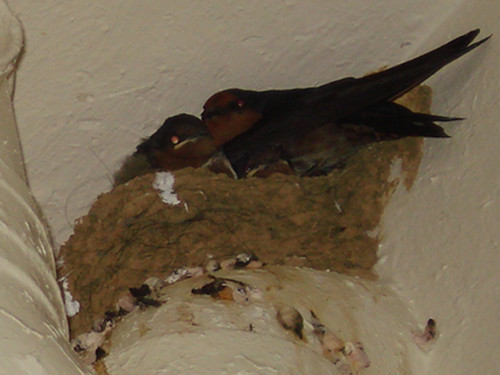
Recently, I noticed that the two birds have become the proud parents of three small babies birds. However, as the nest was not big enough for all five birds, the papa bird slept on another pipe across from the mother bird and her babies.

bird1Papa bird by itself

bird2Papa bird close up

bird3Mother bird and her 3 babies

bird4Mother bird close up

Monday, June 18, 2007

Gin before and after

gin01_jun07
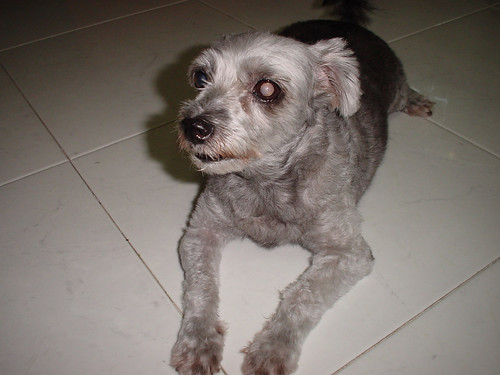
This is Gin, my dog before her haircut yesterday.

gin02_jun07
This is Gin, after her haircut.

Dun she look much neater and cleaner?

Thursday, May 31, 2007

My Inner Diva & Inner Badboy!

I was uploading some of my photos into PhotoBucket when I came across this site, Meez.

And i created my Inner Diva and Inner Badboy.

Photobucket - Video and Image Hosting
My Inner Diva!


Photobucket - Video and Image Hosting
My Inner Badboy!

Do try out the site! It's really fun!


Wednesday, May 30, 2007

Photo Sharing Sites

The other day i discovered this new photo sharing site, YouREP with 2Gb memory space.

YouREP stands for You Represent. Anyway, it is still in beta stage. And I am wary of these beta sites.

I am still testing YouREP. So far so good. They do allow photos of quite sizable portions.

----------------------------------

The other time, i used another photo sharing site, Esnips also in beta stage. And after not logging in for few weeks, I found out that I just could not logged in anymore! And even after i clicked on the "Forgot Password" column, and changing my password, i still cannot get into my folders! Damn! All those photos and videos are lost somewhere!

The site do offer an attractive 5 Gb memory. But TRY AT OWN YOUR RISKS! Dun say you have not been warned!

Below is the email response they sent me after i emailed them my problem.

---------------------------------

Dear user,

Did you use the virification email to activate your account?

First of all let's make sure you haven't gotten the confirmation e-mail: Please go to the junk mail folder in your e-mail account and look for the confirmation e-mail there (your anti-spam software might have sent it directly to your 'junk mail' folder).

If the e-mail is nowhere to be found, try signing in to your eSnips account again, to prompt resending the confirmation e-mail.

If you don't receive it the second time (don't forget to check the junk mail folder), and have another e-mail account, I recommend that you open a new account with the other e-mail address.

(Preferably not a hotmail or your internet provider e-mail account).

Kind regards,
Meital Bichler
Technical Support

----------------------------------

What do they mean by open a new account? What about my old account? When a site loses the content of their users, they lose their credibility! And if it can happen once, it can definitely happen again!

And do they think I am some sort of retarded idiot? Of course, i read the verification email they sent me, clicked on it and changed my password! But the problem is that I still cannot logged in after that! All it appeared on screen is a blank page!

And they even spelled "verification" wrong! Where is this site operating from?

---------------------------------

Update: Jul 2007

I have tried accessing the website of YouREP for quite a few days now. I think the website is GONE! So much for beta site!

Screw you, You REP!

I will never trust another beta site again!